


Platform / capital funding
Index/ARCH™
ARCH™
Asset & Resource Cost Harmonization. Capital funding requirements managed from planning through execution. Delivered as an Excel add-in built on Office.js, so it works inside the workbooks your team already uses.
Lightweight · Intuitive · Flexible · Powerful
Capability Inside the platform
From cost plan to funding request, on one set of numbers
Flexible
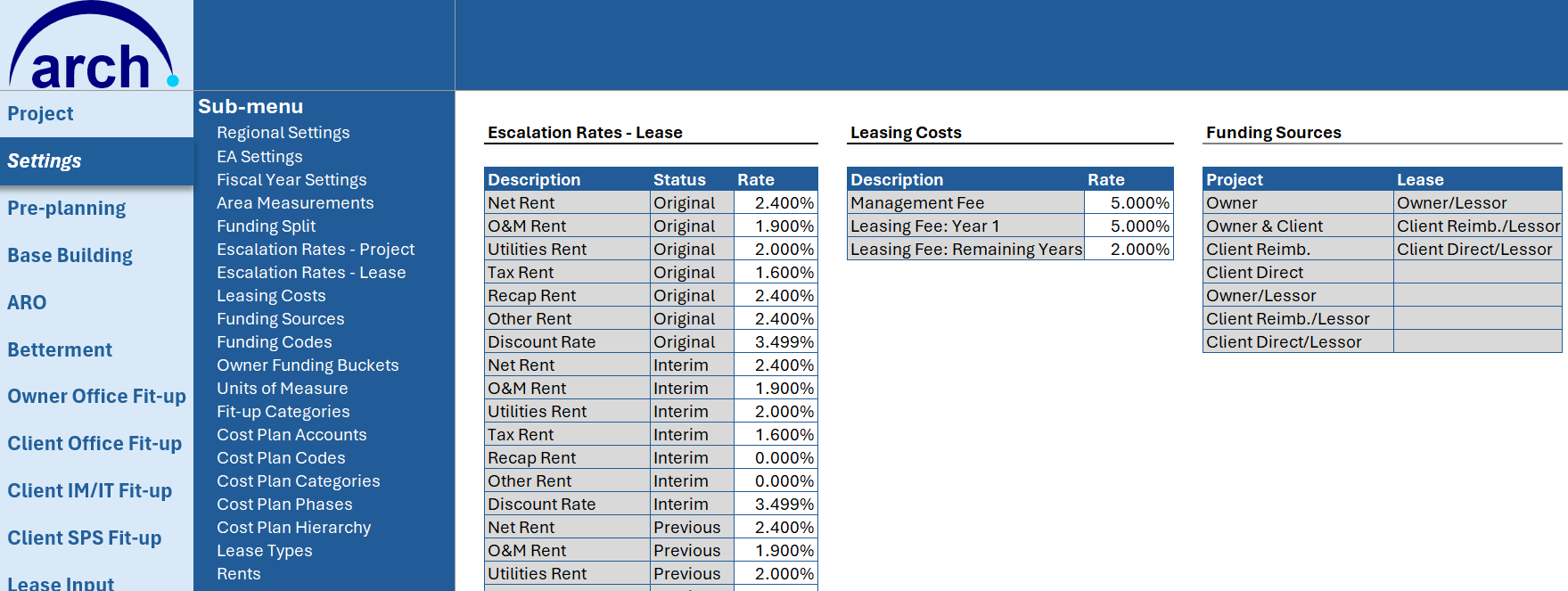
Customize input variables including escalation and discount rates, accounting codes for CAPEX and OPEX, and funding sources.
Funding phases
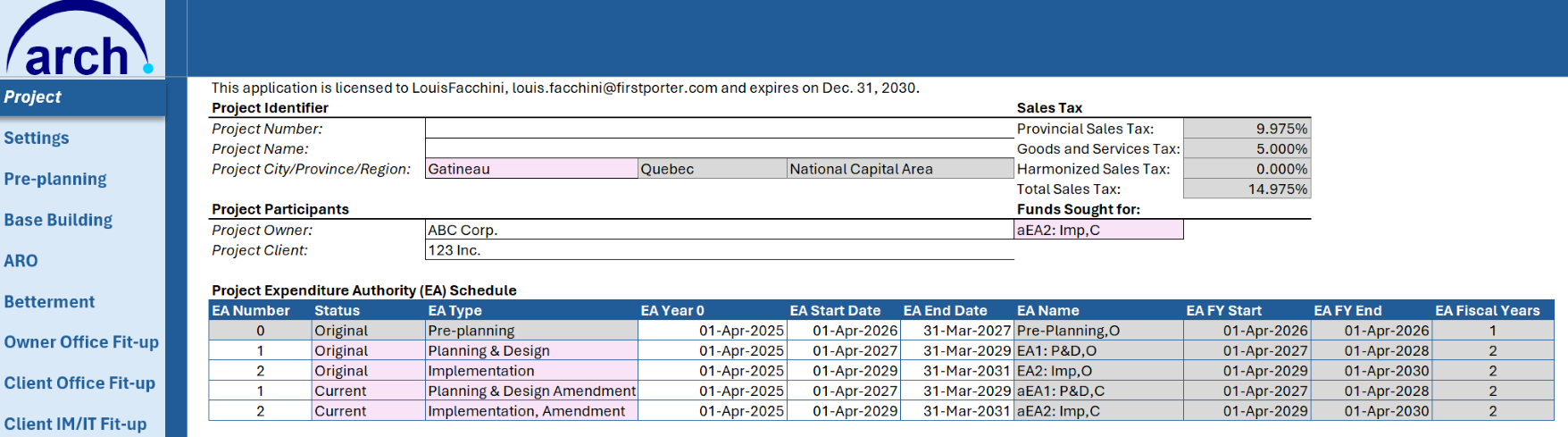
Include funding phases across the entire project life — Original, Interim, Previous and Current.
Costing
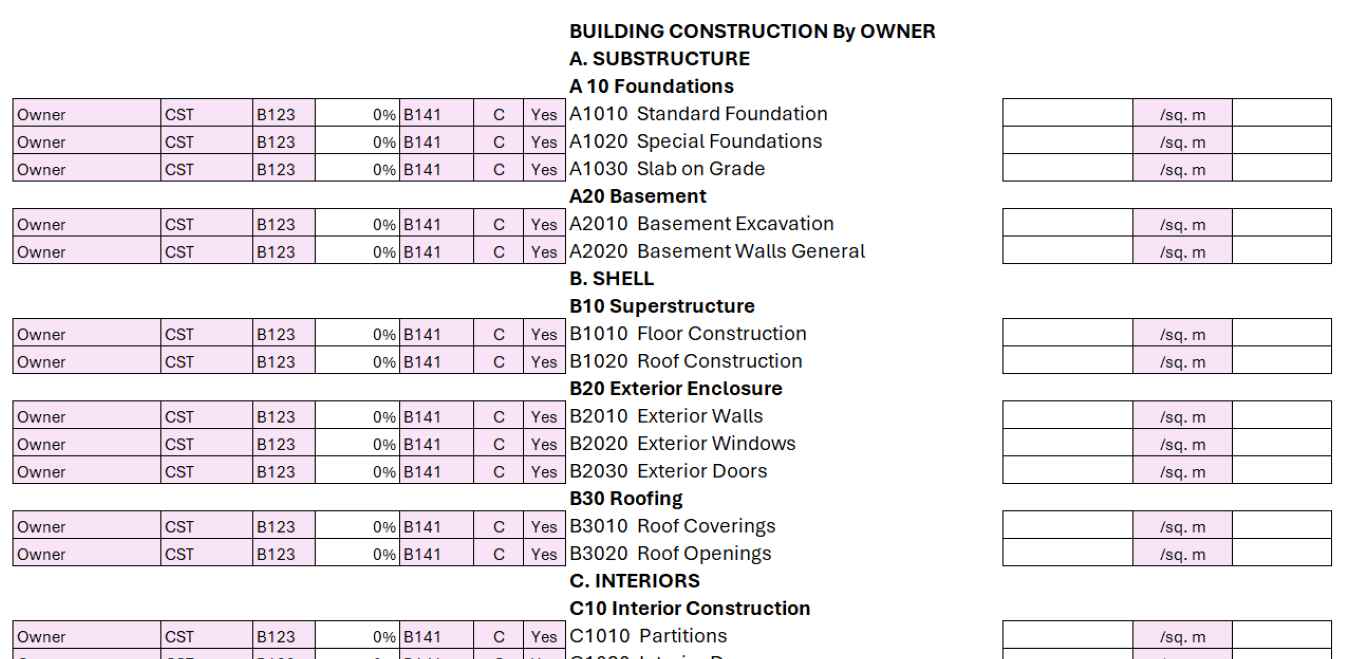
Include costs using the UNIFORMAT II standard, along with soft costs under common, recognizable accounts.
Leasing
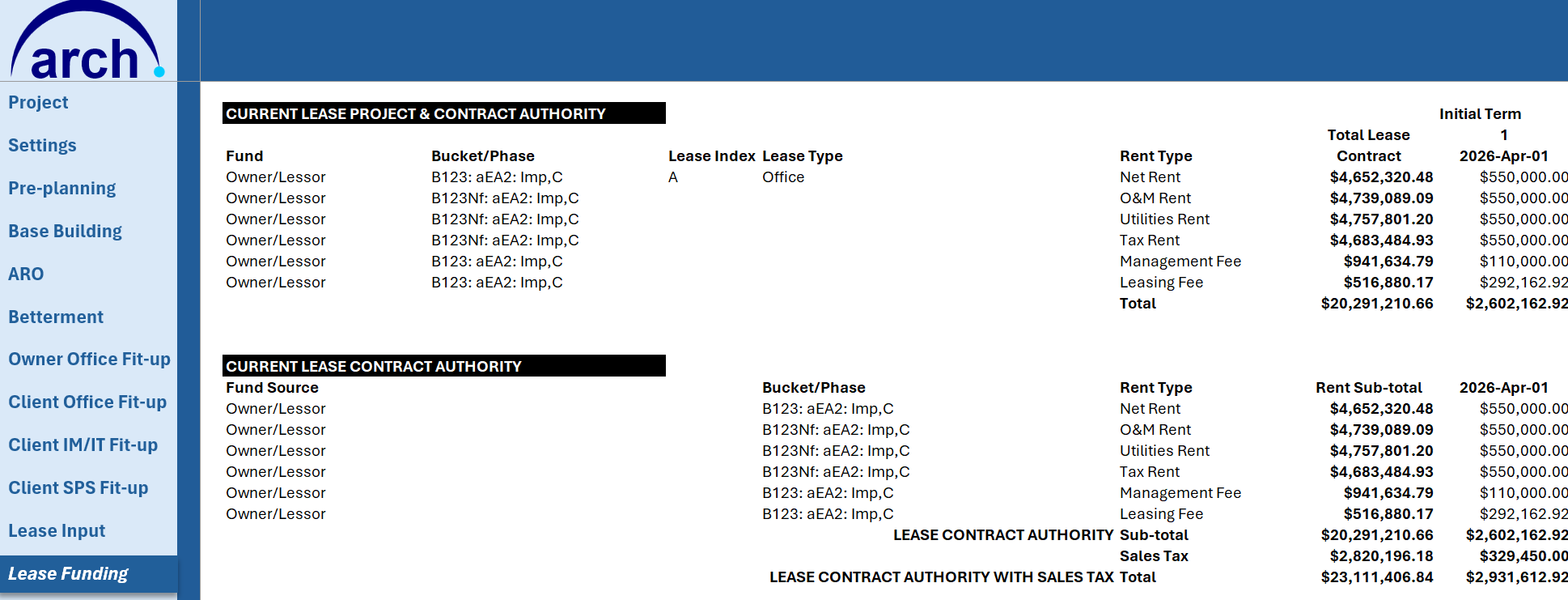
For leasing projects, include lease information in funding requests — and discount lease costs where accounting policies require it.

Leasing funding request
Requests are separated between Lease Contract Authorities, where the entire lease cost is included, and Lease Project Authorities, where only the lease funding is required.
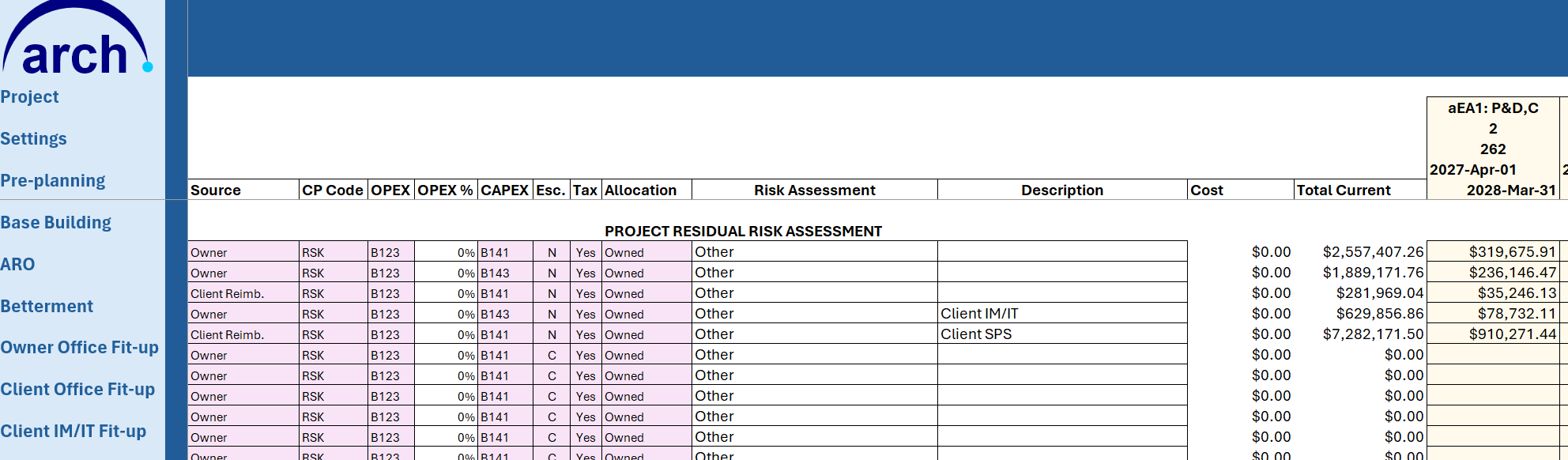
Risk allocation
Include risk amounts in the respective accounts and the respective year of occurrence.
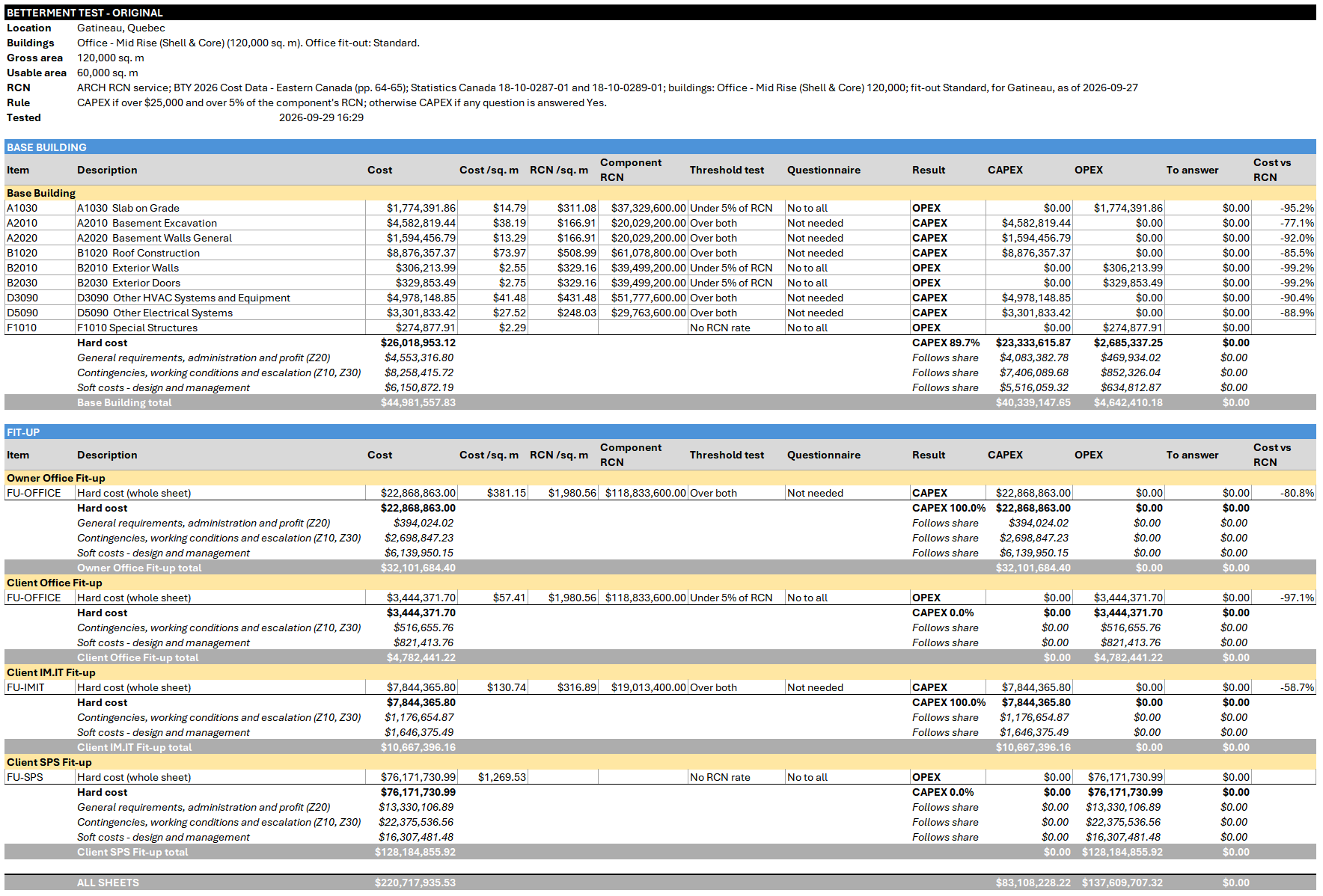
Betterment Test
Deciding whether a cost is capital (CAPEX) or operating (OPEX) is slow and easy to argue over. The Betterment Test compares each cost with the replacement cost of the building component it affects, asks about the cost only when that comparison doesn’t settle it, then writes the CAPEX and OPEX split for every phase.
A cost is treated as capital when it is over $25,000 and over 5% of the component’s replacement cost new. Both thresholds can be changed to match your organisation’s policy.
- Built on your data. It reads your Base Building, ARO and fit-up costs, so nothing is re-keyed.
- Real regional rates. Replacement cost rates come from public regional market data, escalated with Statistics Canada construction price indexes, and you choose the city.
- Clear answers for the grey areas. When a cost isn’t settled by the numbers, a short set of questions decides it: value, useful life, capacity, efficiency, defect, or new space.
- Results by phase. The Betterment sheet shows each line’s cost, the replacement cost, the result and the CAPEX/OPEX amounts, with totals.
Private by design. Your project costs never leave your workbook. The rates come from a single download, and nothing from your workbook is sent with the request.
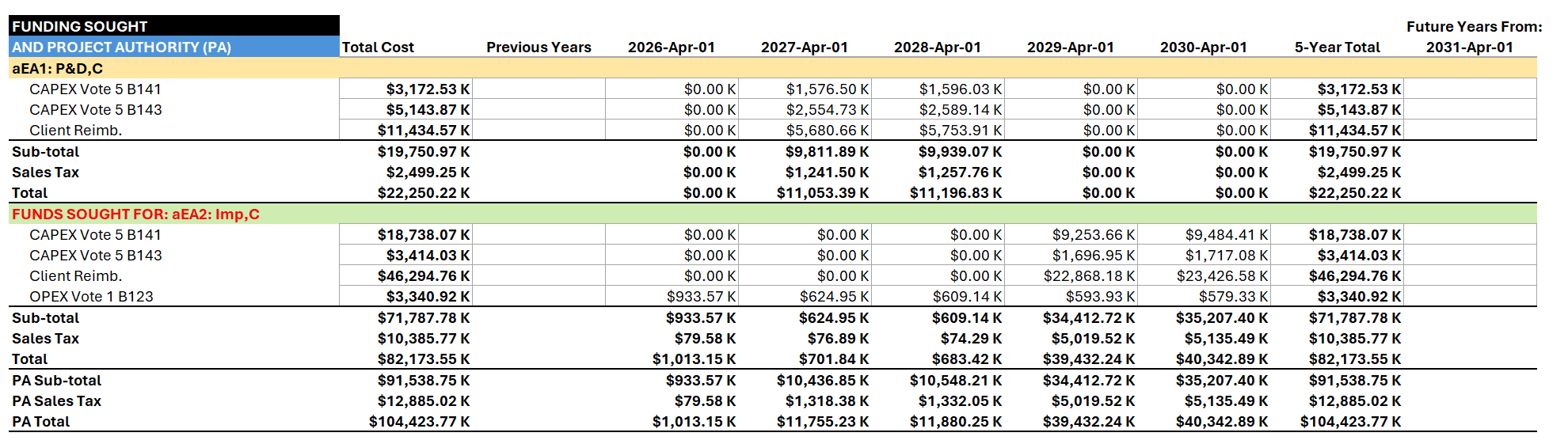
Reporting
A detailed Cost Plan report, a Summary report and a Funding report — each illustrating Original, Previous and Current funding requests.
Pricing Subscriptions
Start with a 30-day free trial
One subscription covers one named person on all of their own devices. Pay monthly or save with an annual plan.
ARCH™
CA$350 / month
or CA$3,600 / year — save CA$600
- Full ARCH™ add-in for Excel
- 30-day free trial
- Cancel any time
DOME™ + ARCH™
CA$600 / month
or CA$6,200 / year — save CA$1,000
- Both add-ins for one person
- Evaluate the decision, then manage the funding
- 30-day free trial
Teams and government
Let's talk
Licences for several people, arranged directly
- One licence for your whole organisation's Microsoft 365 tenant
- Invoicing and purchase orders
- Deployment by your IT team
Prices are in Canadian dollars, plus applicable taxes. The free trial is available once per person; a card is required and is charged when the trial ends unless you cancel first. Cancelling takes effect at the end of your current billing period. See our terms of service and privacy policy. Support and service levels: see our Service Level Agreement.
Get started Three steps
From Excel to your first ARCH™ workbook
Check you're ready
You need Excel for Microsoft 365 (Windows, Mac, web or iPad), or Excel 2019 or later on Mac.
You also need a Microsoft account to sign in — a work, school or personal account all work.
Add ARCH™ to Excel
Install ARCH™ from Microsoft Marketplace: in Excel, choose Home → Add-ins, search for ARCH, and select Add. Or open the listing:
Start your free trial
Open ARCH™, sign in with your Microsoft account, and choose Subscribe in the Licence section. Your 30 days start straight away.
Using ARCH™ at work?
If your organisation manages add-ins, your IT administrator can deploy ARCH™ for everyone from the Microsoft 365 admin centre: Settings → Integrated apps → Get apps, search for ARCH. IT teams can find the deployment steps on our support page.
Buying for a team?
For several people, a whole department or a government organisation, contact us to arrange an organisation licence, invoicing and purchase orders.
Companion platform
DOME™
Where ARCH™ manages the funding, DOME™ evaluates the decision that precedes it — option evaluation, sensitivity testing and Monte Carlo risk simulation.